Stop Prompting, Start Automating: AI Workflows That Save You Hours Every Week
Part 7 of AI From Zero to Agents. Why most of your work needs an AI workflow rather than an agent, the five patterns behind almost every real automation, five examples you can copy, and a quick test for what to automate first.
Series · AI From Zero to AgentsPart 7 of 9
- 1 AI for Newbies: The 10-Minute Guide That Finally Makes It Click
- 2 ChatGPT Isn't Magic, It's Autocomplete on Steroids
- 3 Not All AI Is the Same Brain: Meet the Model Family
- 4 ChatGPT vs Claude vs Gemini vs Grok vs Llama vs Perplexity: Which AI Should You Actually Use?
- 5 Free, Open and on Your Laptop: Open-Source Models and the Secret Currency Called Tokens
- 6 From Chatbot to Coworker: What Agentic AI Is and How to Build Your First Agent
- 7 Stop Prompting, Start Automating: AI Workflows That Save You Hours Every Week
- 8 The USB-C Moment for AI: MCP vs A2A vs ACP, and How Agents Talk to Each Other
- 9 Let's Build It: A Hands-On Agent-to-Agent Walkthrough

A confession from someone who designs AI systems for a living: most of the time, you don't need an agent.
In Part 6 we built agents that decide their own next step. That freedom is great when every case is different, but you pay for it in speed, cost and predictability. The repetitive stuff that eats most of our week is better served by a plain, well-built AI workflow. It does the same thing every time, costs a fraction of an agent, and when something goes wrong you can actually see where.
The train and the taxi
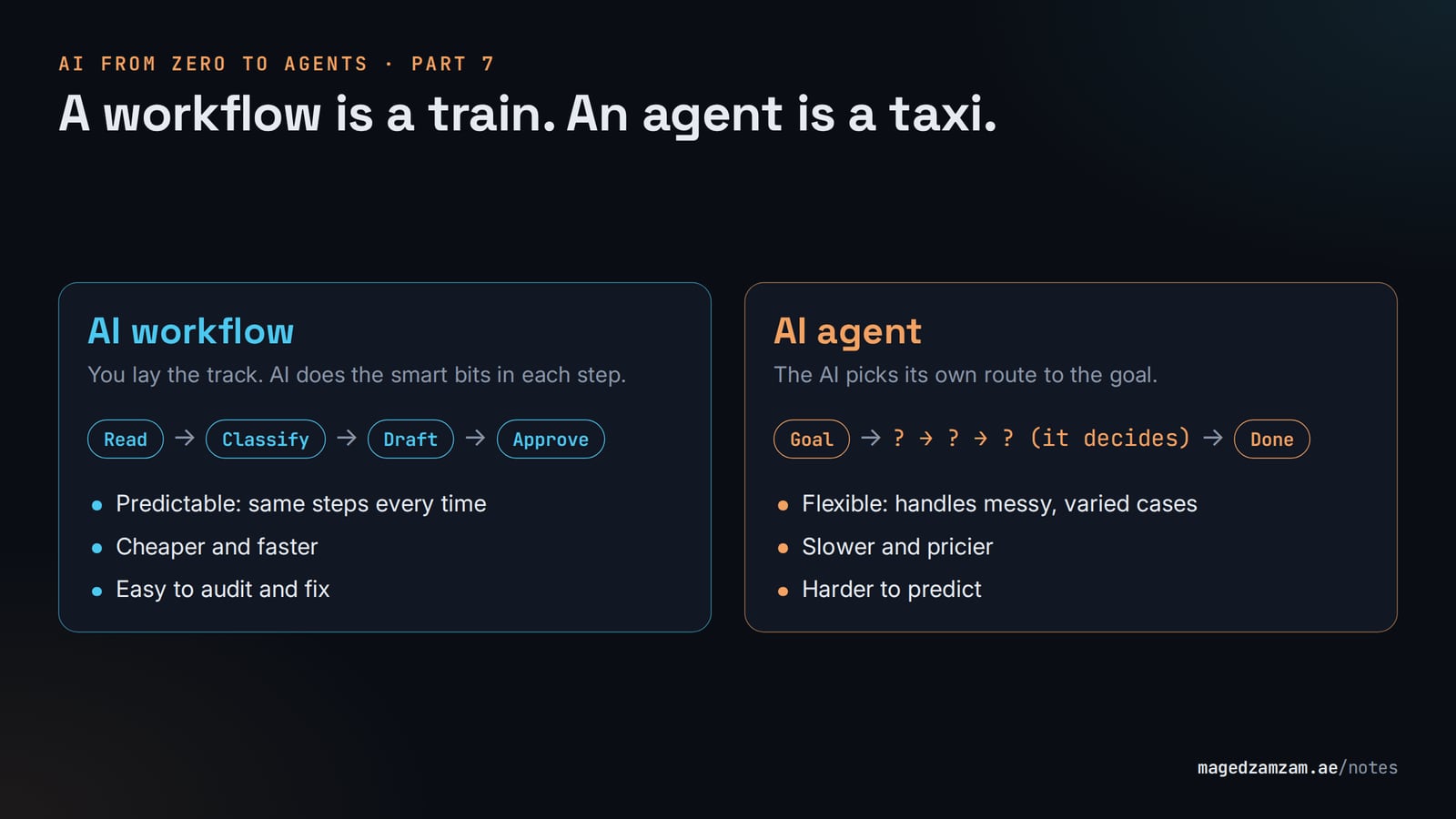
The way I explain it to customers: a workflow is a train. You lay the track, and the AI does the clever bits at each station (reading a document, sorting an email, writing a draft). An agent is a taxi. You give it the destination and it works out the route as it goes.
My rule of thumb is simple. If you can draw the process on a whiteboard, build a workflow. If you can't, because every case comes out different, that's when an agent starts to earn its keep.
Five patterns you'll start seeing everywhere
People building with AI keep rediscovering the same handful of building blocks. Anthropic's guide Building Effective Agents gave them names, and I find them a useful vocabulary even for non-engineers.
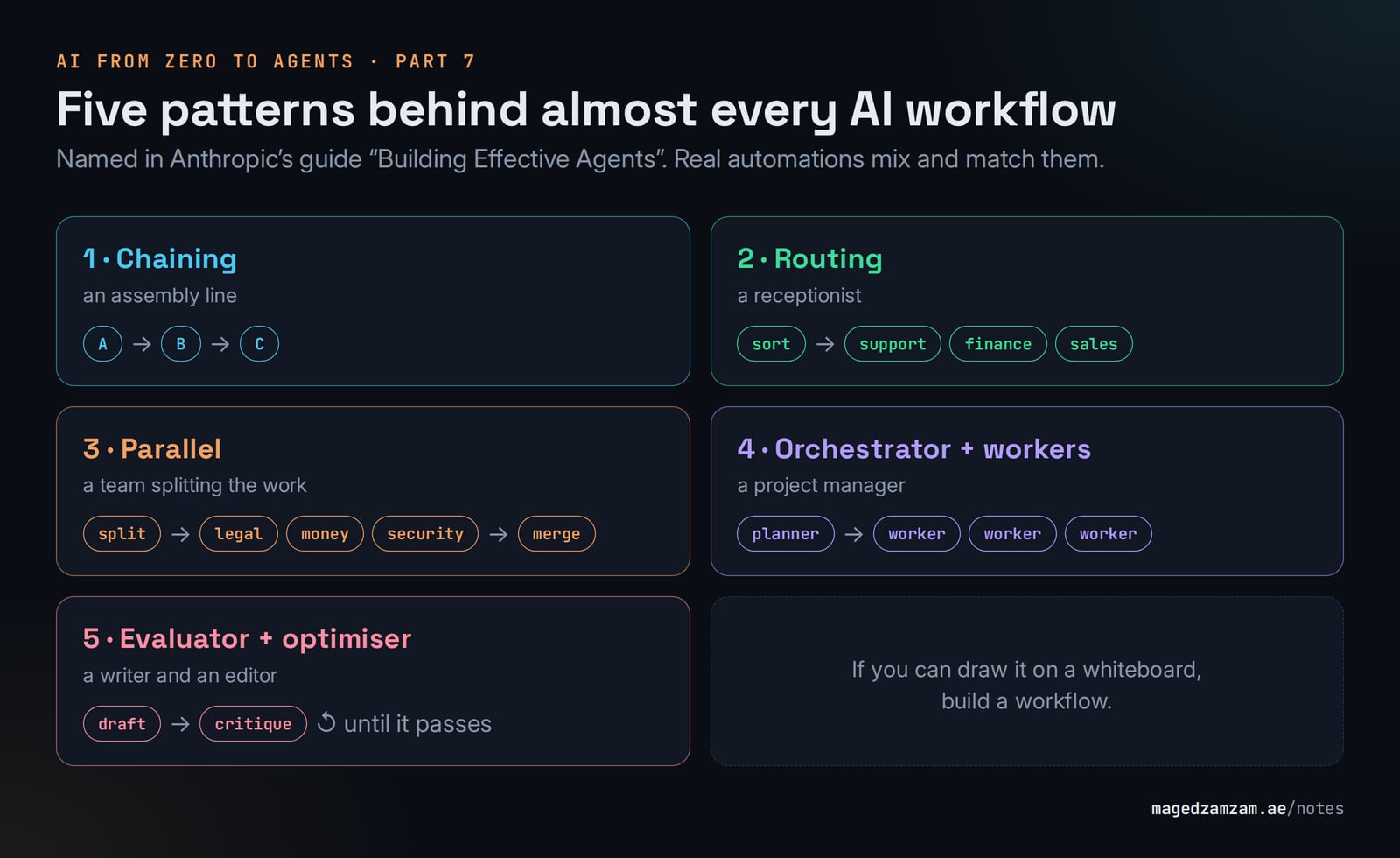
The simplest is chaining, which is just an assembly line: the output of one step feeds the next. Transcribe the meeting, summarise it, pull out the action items, email them round. Then there's routing, which works like a good receptionist. The AI reads what came in and sends it down the right path, so complaints go to support, invoices to finance and new leads to the CRM.
Parallel is a team splitting the work. You might have one AI check a contract for legal risk while two others look at the financial and security angles, and you merge the three reviews at the end. Orchestrator and workers is the project manager version: one AI breaks a big job into pieces and hands them out, say planning the sections of a research report and letting helpers write each one.
The last one is my favourite, evaluator and optimiser. One AI writes, another plays editor and scores the draft against your criteria (tone, length, compliance wording), and they go back and forth until it passes. It's surprisingly good at marketing copy that has to tick a lot of boxes.
Five workflows worth stealing
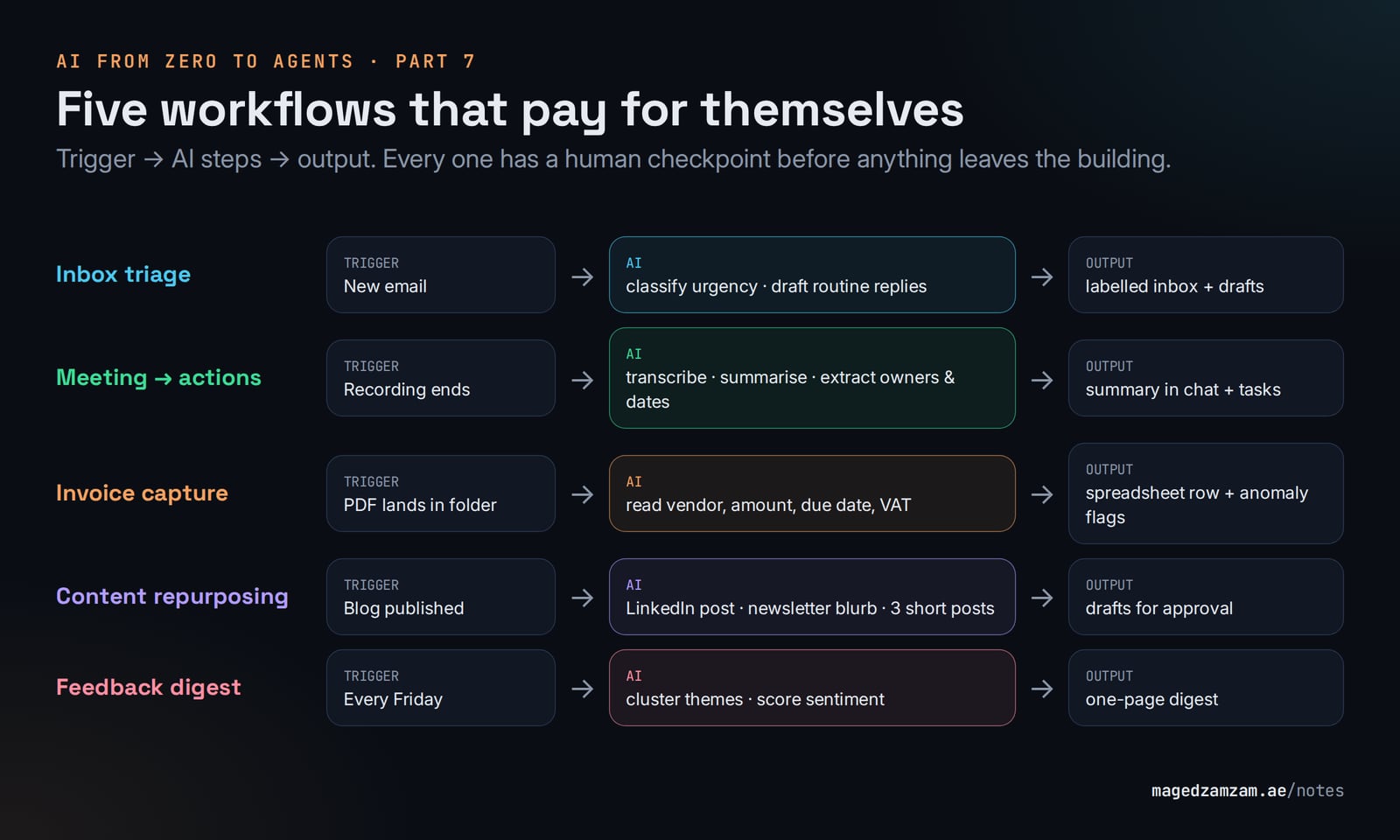
| Workflow | Trigger | AI does | Output | Pattern |
|---|---|---|---|---|
| Inbox triage | New email | Classify urgency and topic, draft a reply for routine ones | Labelled inbox, drafts waiting | Routing |
| Meeting → actions | Recording finished | Transcribe, summarise, extract owners and dates | Summary in the team chat, tasks in the tracker | Chaining |
| Invoice capture | PDF arrives in a folder | Read vendor, amount, due date, VAT | Row in a spreadsheet, flag anomalies | Chaining |
| Content repurposing | Blog published | Write a LinkedIn post, a newsletter blurb and 3 short posts | Drafts for approval | Parallel + evaluator |
| Feedback digest | Every Friday | Read the week's reviews and tickets, cluster themes, score sentiment | One-page digest for the team | Orchestrator |
You'll notice none of these sends anything out of the building without a person looking at it first. Same rule as the agents in Part 6, and I'd keep it that way until a workflow has earned your trust over a few weeks.
Where to build them
You don't need to be a developer for any of this. The automation platforms have all bolted AI steps on, and they're good.
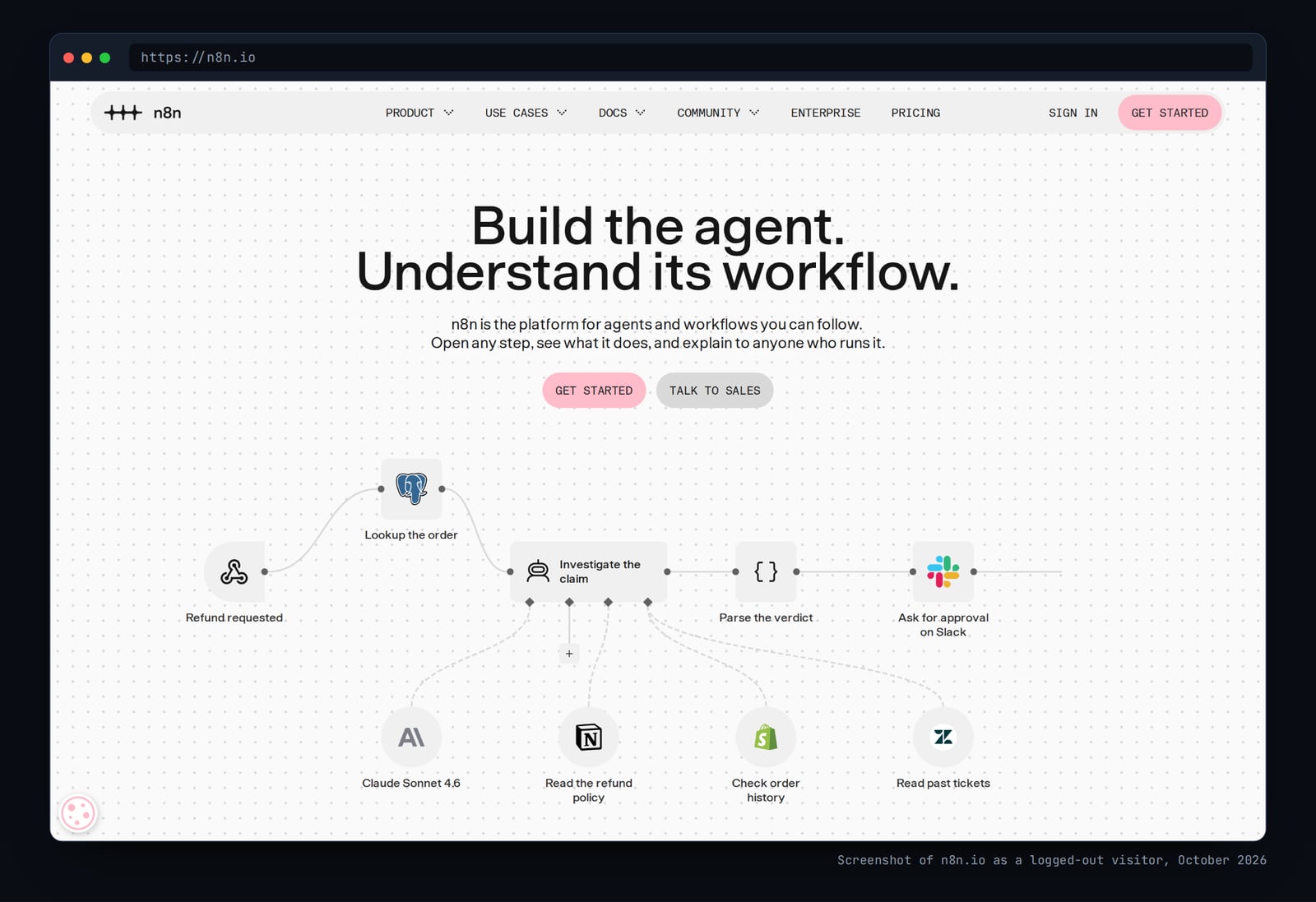
Zapier and Make are the gentlest place to start, with thousands of app connectors and AI steps built in. n8n is a visual builder you can also host yourself, which is why technical teams who care about where their data lives tend to like it. If your company runs on Microsoft 365, Power Automate and Copilot Studio are the obvious choice. And for small personal routines you may not need any of them: ChatGPT, Gemini and Claude can all run scheduled tasks now ("every Monday at 8, summarise…").
What to automate first
Not everything deserves a workflow. I ask two questions about every task: how often do I do it, and how much judgement does it need?
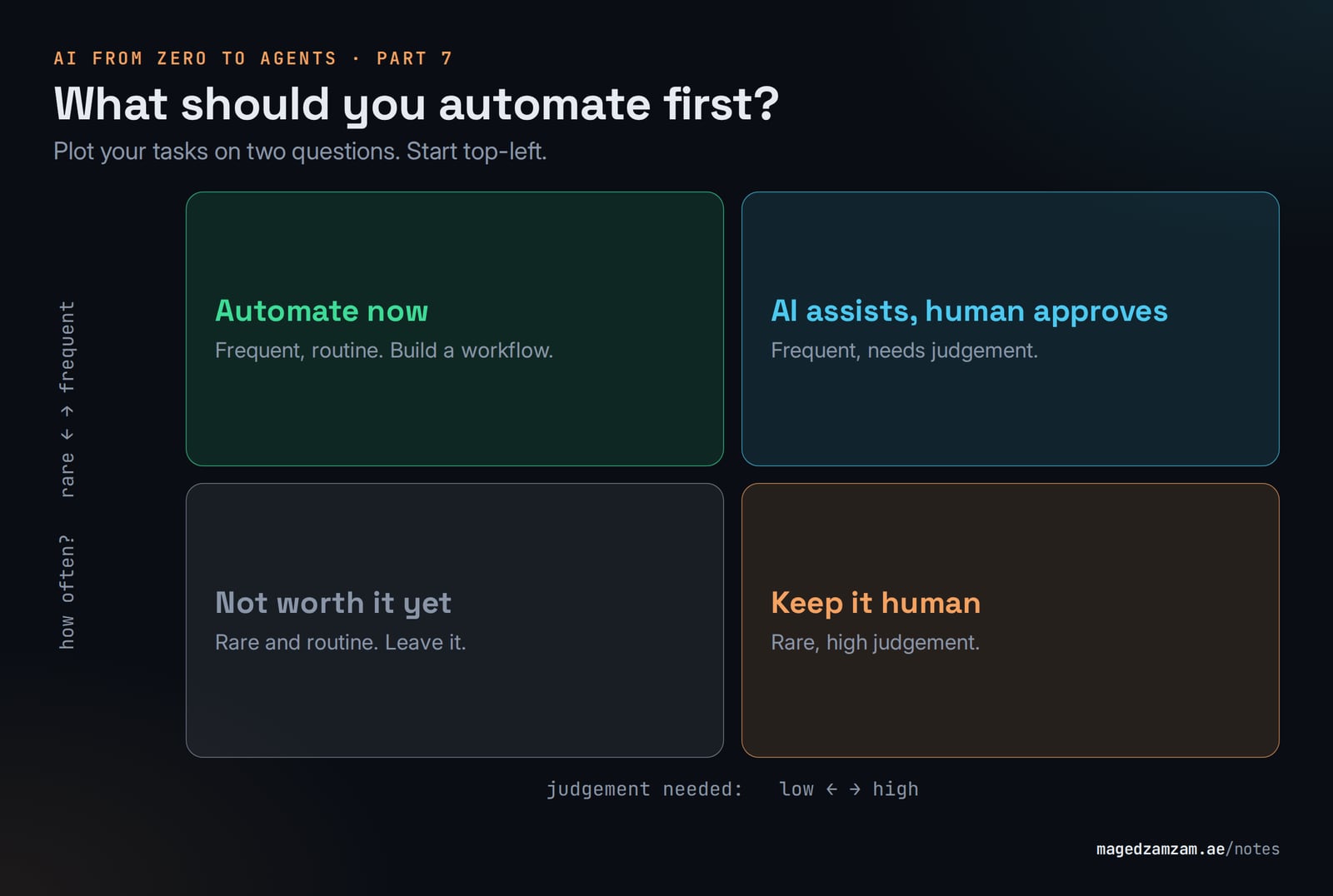
Then do the back-of-the-envelope maths before building anything:
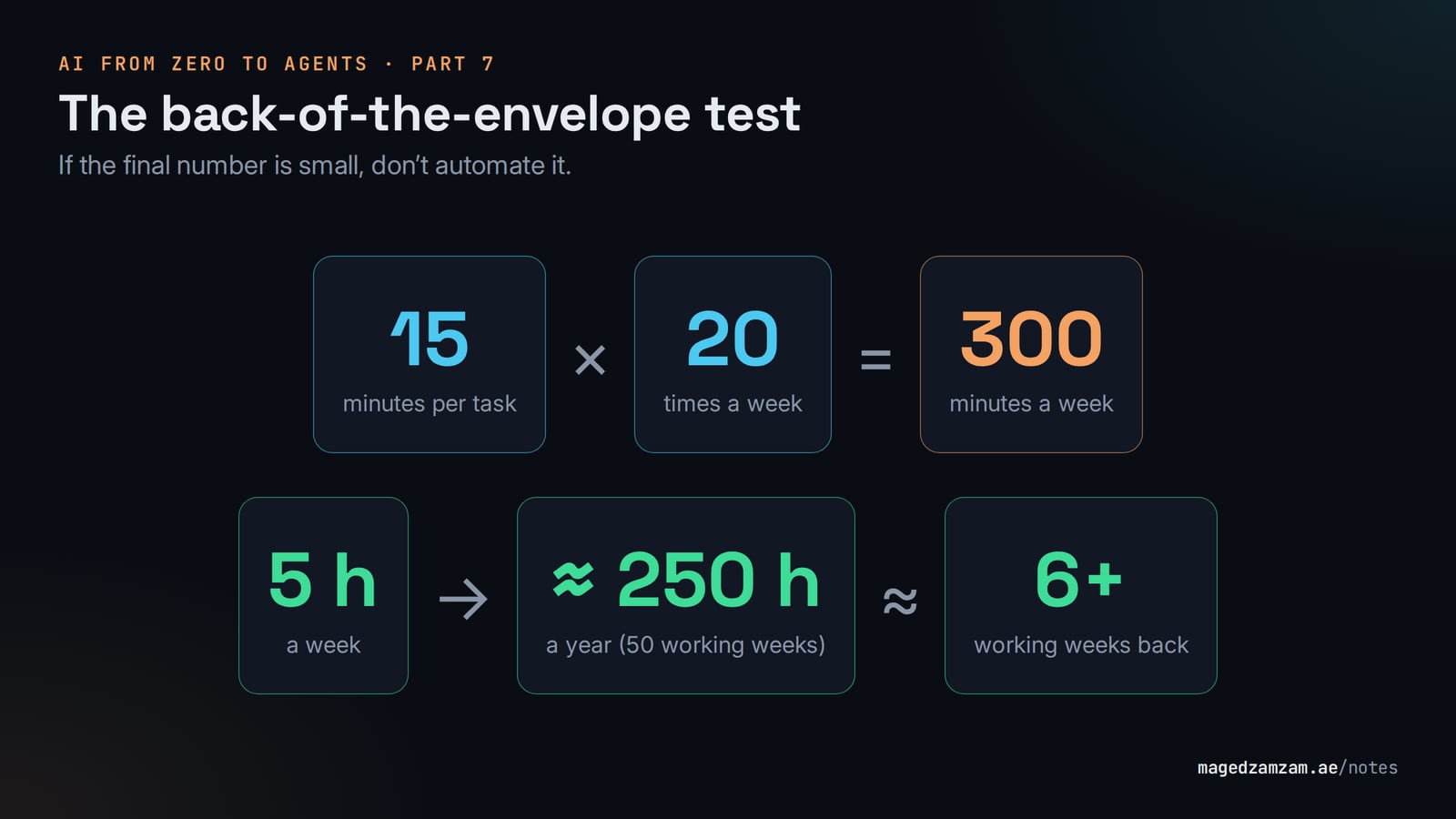
Five hours a week adds up to more than six working weeks a year, and that's from a single workflow. In my experience that one number does more to get an automation budget approved than any slide about the future of work.
Mistakes I keep running into
The most common one is automating a broken process. AI will make a messy process faster, not better, so fix it on paper first. Close behind is skipping the human checkpoint on anything that touches customers or money, and forgetting to log what each step did (it will go wrong at some point, and you'll want to know which step did what).
Two more are about cost and ambition. People reach for the biggest model for every step, when classifying and extracting work perfectly well on the small, cheap models from Part 3; save the flagship for the one step that's genuinely hard. And they build an agent when a workflow would have done. For repetitive work, predictable beats clever every time.
Before Friday
Write down every task you did more than three times last week. Next to each one, put how many minutes it takes and whether it needs much judgement. Circle the frequent, low-judgement ones and run the formula above. Whichever circled task gives the biggest number is your first workflow.
Next time we look at how all these agents and workflows plug into tools, and into each other. That's where MCP and A2A come in, along with a confusing extra acronym or two.
More notes

Why a 100% SLA isn't feasible in technology
A customer asked me why the cloud provider doesn't just replicate everything to another region and promise 100% uptime. The honest answer has more to do with physics, change and regulators than with greed.

Hotels Need an Event Backbone, Not Another Dashboard
A vendor-neutral hospitality integration pattern using OCI APIs, streaming and operational data governance.

A backup you haven't restored is a hope, not a backup
What recovering a corrupted HR system with zero data loss in a day and a half taught me — and the HA/DR checklist I now use for every design.